01
Scan more than photos
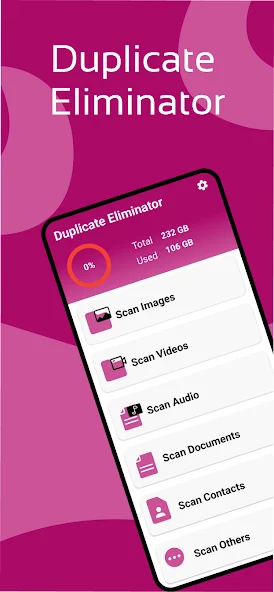
Choose exactly what to check—from images and videos to audio, documents, contacts, and other files.
Scan duplicate photos, videos, audio, documents, contacts, and more—then review the results and clear the clutter in a few focused steps.
Less clutter. More room.
One focused utility for scanning the file types that tend to multiply quietly across your phone.
Choose exactly what to check—from images and videos to audio, documents, contacts, and other files.
Review grouped matches and select the copies you want to remove before deletion.
Move from category to scan to review without digging through complicated menus.
A simple overview helps you understand what is used before you start scanning.
Three simple steps
Duplicate Eliminator keeps the clean-up journey understandable from the first tap to the final confirmation.
Start with images, videos, audio, documents, contacts, or other files.
Let the app search the selected category and organize duplicate groups.
Check the grouped results, choose what goes, and confirm the clean-up.
Inside the app
Google Play data safety
The current Google Play data safety panel states that no data is collected and no data is shared with third parties. Review the developer’s full policy for complete information about app services and practices.
Read the privacy policyNo data collectedAs declared in the current Play Store data safety panel.
No data sharedAs declared in the current Play Store data safety panel.
Full policy linkedOpen the developer policy whenever you need more detail.
Good to know
Everything you need before starting your first duplicate scan.
The app provides scan categories for images, videos, audio, documents, contacts, and other files.
Yes. Scan results are shown in duplicate groups so you can review and select entries before confirming deletion.
Duplicate Eliminator is available for Android through Google Play. Use any download button on this page to open its listing.
The current Play Store data safety panel and the developer’s full privacy policy are linked from the privacy section above.
Make space for what matters
Find duplicate files, review the results, and take back useful storage space.
GET IT ONGoogle Play